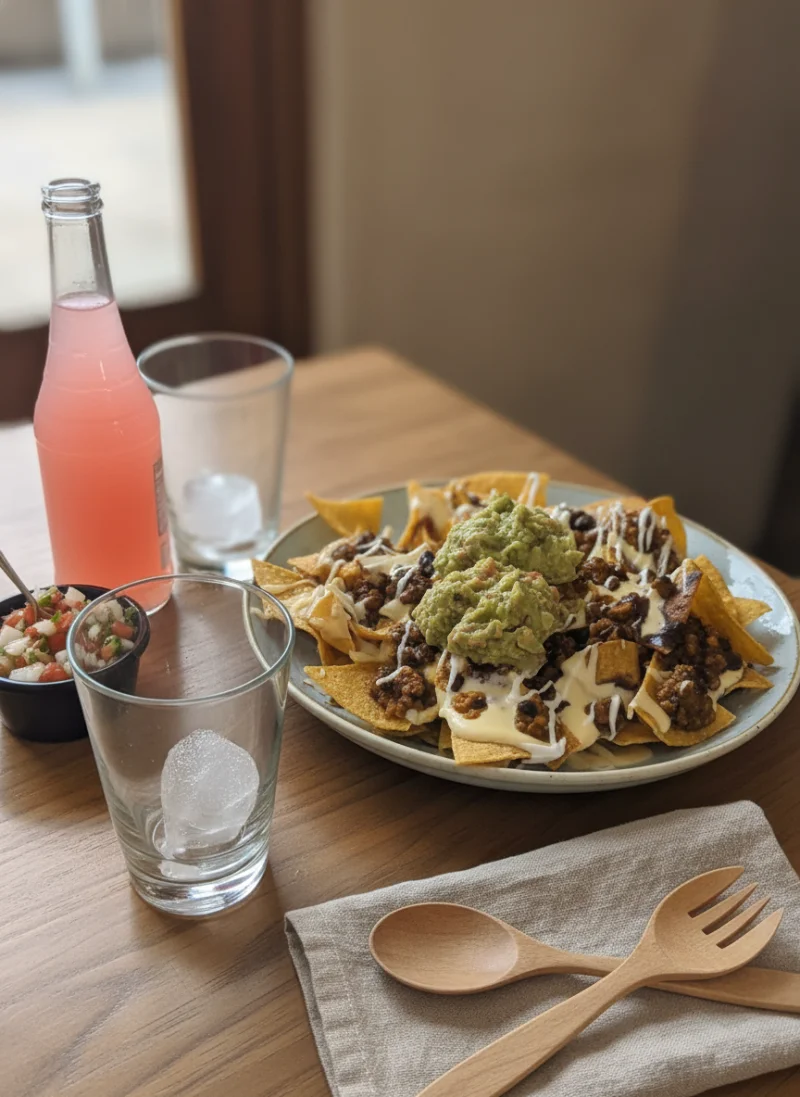
When a customer opens Uber Eats, DoorDash, or Grubhub, they are scrolling past dozens of restaurants in seconds. They are not reading descriptions. They are not comparing prices. They are looking at pictures. Your food photos for delivery apps are the single most important factor determining whether someone taps on your restaurant or keeps scrolling to a competitor.
The data is clear: restaurants with high-quality menu images consistently outperform those without them. Yet the majority of restaurants on delivery platforms are still using mediocre photos, or worse, no photos at all. For a comprehensive technical walkthrough, see our complete guide to food photography for delivery apps. This article explains exactly why food photos matter so much for delivery orders and gives you 7 actionable quick wins you can use today to start seeing better results.
The Impact of Food Photos on Delivery Orders
If you think food photos are just a nice-to-have, consider these numbers. According to delivery platform data, menu items with photos receive up to 70% more orders than items without images. That is not a marginal improvement. That is the difference between a struggling delivery presence and a profitable one.
The impact goes even further than just order volume. Better food photos on delivery apps also increase average order value. This effect extends to food photography for social media as well, where higher-quality visuals drive more engagement and foot traffic. When customers can see what a dish actually looks like, they are more likely to add extras, upgrade to larger portions, or order an appetizer they were not planning on. Restaurants that invest in quality delivery app menu photos typically see a 25-35% increase in average order size.
Here is why this happens from a psychological perspective:
- Visual decision-making: Humans process images 60,000 times faster than text. On a delivery app, your photo is processed before the customer even reads the dish name.
- Appetite stimulation: A well-lit photo of a juicy burger or a vibrant bowl of pasta triggers a physiological hunger response that text descriptions simply cannot replicate.
- Trust and credibility: Professional-looking food pictures for Uber Eats and other platforms signal that a restaurant takes quality seriously, reducing the perceived risk of ordering from an unfamiliar place.
- Reduced decision fatigue: When customers can see what they are getting, they decide faster and with more confidence, which means fewer abandoned carts.
The bottom line is simple: if you are on a delivery platform without quality food images, you are leaving money on the table every single day.
What Makes a Great Delivery App Food Photo
Not all food photos are created equal. A blurry, dark photo can actually hurt your orders more than having no photo at all. Here are the four qualities that separate food images that drive orders from those that drive customers away.
Clarity and Sharpness
The food needs to be in sharp focus. Delivery app customers are viewing your photos on mobile screens, often as small thumbnails. If the image is blurry, grainy, or out of focus, it immediately signals low quality. Every texture should be visible: the crisp edges of fried chicken, the glisten of a sauce, the fresh green of lettuce. Sharpness communicates freshness and care.
Accuracy and Honesty
Unlike aspirational food advertising, delivery app photos need to accurately represent what the customer will receive. Over-styled or heavily filtered restaurant delivery photos lead to disappointment, bad reviews, and refund requests. The best delivery photos show the actual dish, in the actual portion size, looking its genuine best. Honesty builds repeat customers.
Vibrant but Natural Color
Color is one of the strongest appetite triggers. Warm tones like reds, oranges, and golden browns make food look more appetizing. Greens signal freshness. The key is making colors look vibrant and true-to-life without crossing into over-saturated territory. Food that looks unnaturally bright or has a strange color cast will feel off-putting, even if the customer cannot articulate why.
Appetite Appeal
Great food images on delivery platforms make you hungry just by looking at them. This is achieved through a combination of the factors above, plus thoughtful composition: showing the most appetizing angle of the dish, capturing steam or melting cheese when possible, and ensuring the food fills the frame so it looks generous and satisfying. The goal is to make the customer think, "I need to eat that right now."
Quick Wins: Improve Your Food Photos Today
You do not need a professional photographer or expensive equipment to significantly improve your delivery app menu photos. If you want to maximize what your phone can do, our smartphone food photography guide goes into even more detail. Here are 7 actionable tips any restaurant owner or manager can implement immediately using just a smartphone.
1. Use Natural Light (and Only Natural Light)
This single change will make the biggest difference. Position your dish near a window where soft, indirect sunlight hits it from the side. Natural light brings out the true colors of food and creates gentle, flattering shadows that add depth. Avoid direct sunlight, which creates harsh shadows and blown-out highlights. The best time is usually mid-morning or mid-afternoon when light is bright but not directly overhead.
2. Never Use Flash
The built-in flash on your phone is the enemy of good food photos. It creates a flat, harsh light that washes out colors, creates unflattering reflections on sauces and oils, and eliminates the natural shadows that make food look three-dimensional. Turn it off permanently. If you do not have enough natural light, move the dish closer to a window or use a simple desk lamp with a white shade positioned to the side.
3. Clean the Plate Edges
Before you take the photo, grab a damp paper towel and wipe down the rim and edges of the plate or container. Drips, smudges, and sauce splatters around the edges make even delicious food look sloppy. This takes five seconds and instantly makes your dish look more professional and appetizing. Pay special attention to the area closest to the camera.
4. Use a Clean, Simple Background
Clear away everything that is not the dish. No receipts, no salt shakers, no other plates, no branded tablecloths with busy patterns. Use a clean section of counter, a plain cutting board, or even a large sheet of white paper. The food should be the only thing competing for the viewer's attention. At thumbnail size on delivery apps, a cluttered background turns your photo into visual noise.
5. Shoot from a Consistent Angle
Pick one angle and use it for most of your menu items. A 45-degree angle works best for the majority of dishes because it shows both the top and the side, giving customers a complete picture of what they are ordering. Use a straight overhead shot only for flat items like pizza, flatbreads, or grain bowls. Consistency across your menu creates a professional, cohesive look that builds trust.
6. Fill the Frame with Food
Get close to the dish. The food should occupy at least 70-80% of the image. Remember that customers will see your photo as a small thumbnail while scrolling through dozens of options. A tiny dish surrounded by empty space looks unappetizing and suggests small portions. Move your phone closer, or use the zoom sparingly. The viewer should feel like they could reach out and grab the food.
7. Take Multiple Shots and Choose the Best
Do not take one photo and call it done. Take at least 10-15 photos of each dish from slightly different angles and distances. Try tapping different areas of the screen to adjust focus. Review them at thumbnail size on your phone before selecting the winner. Food cools, wilts, and loses its appeal quickly, so work fast once the dish is plated and choose the image where the food looks its absolute freshest.
Before and After: The Difference Good Photos Make
To understand the real-world impact of better food photos for delivery apps, consider these common scenarios that play out every day on platforms like Uber Eats and DoorDash.
Scenario 1: The Burger Joint. A local burger restaurant had been on DoorDash for six months with photos taken under fluorescent kitchen lighting. The burgers looked flat, grayish, and unappetizing. After reshooting with natural window light, wiping the plate edges, and using a dark wood cutting board as a background, their burger photos showed juicy, golden-brown patties with visible texture. The result: order rates for photographed items increased by over 40% within the first two weeks.
Scenario 2: The Thai Restaurant. A Thai restaurant had no photos for most of their menu items on Uber Eats. They spent one afternoon photographing their top 20 dishes using a smartphone near their front window. The curries showed rich, vibrant colors. The pad thai glistened with sauce. Even with smartphone-quality images, adding photos to previously unillustrated menu items doubled the order rate for those specific dishes.
Scenario 3: The Pizza Shop. A pizza shop was using old stock photos that looked nothing like their actual product. Customers frequently complained that the pizza did not match the pictures, leading to low ratings. After switching to honest, well-lit photos of their real pizzas, their refund rate dropped significantly and their average rating climbed from 3.8 to 4.4 stars over three months. Honest photos attracted customers who knew what to expect and were satisfied with what they received.
Platform Best Practices
While the fundamentals of good food photography apply everywhere, each delivery platform has its own nuances. Here are quick tips to optimize your food photos for the major platforms.
Uber Eats
Uber Eats displays menu photos prominently and uses a 16:9 aspect ratio for hero images. Shoot in landscape orientation for your best dishes. The platform also features restaurant cover photos, so invest extra effort in one stunning hero image that represents your brand. Items with photos appear higher in search results, so covering your full menu with images is essential for visibility.
DoorDash
DoorDash uses a 4:3 aspect ratio for item photos and displays them as slightly larger thumbnails than some competitors. This means your photos need to look great at medium sizes, not just as tiny icons. DoorDash also allows you to feature popular items with larger photo placements, so prioritize your best-sellers with your highest-quality shots.
Grubhub
Grubhub favors square (1:1) images. When shooting for Grubhub, frame your dishes with a bit of extra space on all sides so the image works well when cropped to a square. Grubhub also lets customers sort by photo availability, meaning restaurants without images can be filtered out entirely by hungry customers who want to see what they are ordering.
The AI Shortcut: Professional Results Without a Photographer
Even with all the tips above, there is a gap between a good smartphone photo and a truly professional image. Hiring a food photographer can cost hundreds or thousands of dollars, and the photos need to be updated whenever your menu changes. For most small and mid-sized restaurants, this is simply not practical.
This is where AI-powered tools are changing the game. Platora lets you take your existing smartphone food photos and transform them into professional-quality images optimized for delivery platforms. The AI enhances lighting, adjusts colors for maximum appetite appeal, cleans up backgrounds, and ensures consistency across your entire menu.
The advantage is speed and cost. Instead of spending a full day on a photoshoot and waiting for editing, you can upload your photos and get delivery-ready results in minutes. When you add a new menu item, you can have professional-looking food pictures for Uber Eats and other platforms the same day, not weeks later.
Measuring the Impact
After improving your food photos, you need to know whether the changes are actually working. Here is how to track the impact of better food photos on delivery apps.
- Track order rates per item: Most delivery platforms provide analytics showing how often each menu item is viewed versus ordered. Compare the conversion rate of items before and after updating their photos. A significant jump in the view-to-order ratio is a clear signal that your new images are working.
- Monitor click-through rates: On platforms that show this data, check whether more customers are clicking into your restaurant listing from search results. Better cover photos and featured images increase your click-through rate from the browse and search pages.
- Compare average order value: Track your average order value week over week after updating photos. If customers are ordering more items or larger portions, your food images are doing their job of stimulating appetite and reducing hesitation.
- Watch your ratings: If you switched from over-styled or stock photos to honest, accurate images, you should see fewer complaints about food not matching the pictures. This translates to better ratings and more repeat customers over time.
- A/B test when possible: Some platforms allow you to update photos for specific items while leaving others unchanged. Use this to create a controlled comparison. Update photos for half your menu first, measure the results after two weeks, then update the rest.
Give your updated photos at least two to three weeks before drawing conclusions. Delivery app algorithms take time to register changes and adjust item visibility. The results will compound over time as better photos lead to more orders, which lead to higher platform rankings, which lead to even more visibility.
Conclusion
Your food photos for delivery apps are not just decoration. They are your most powerful sales tool on platforms where customers make decisions in seconds based almost entirely on visuals. Restaurants with better food photos get more orders, higher average order values, and better customer ratings. That is not opinion. That is what the data consistently shows.
The good news is that you do not need a professional photographer or a big budget to make meaningful improvements. Start with the 7 quick wins outlined above: use natural light, skip the flash, clean the plate edges, simplify the background, shoot consistently, fill the frame, and take multiple shots. These changes alone can dramatically improve how your food looks on Uber Eats, DoorDash, Grubhub, and every other delivery platform.
And when you are ready to take your delivery menu photos to the next level without the cost and hassle of a traditional photoshoot, AI tools like Platora can bridge the gap between smartphone snapshots and professional-grade images that drive real results.