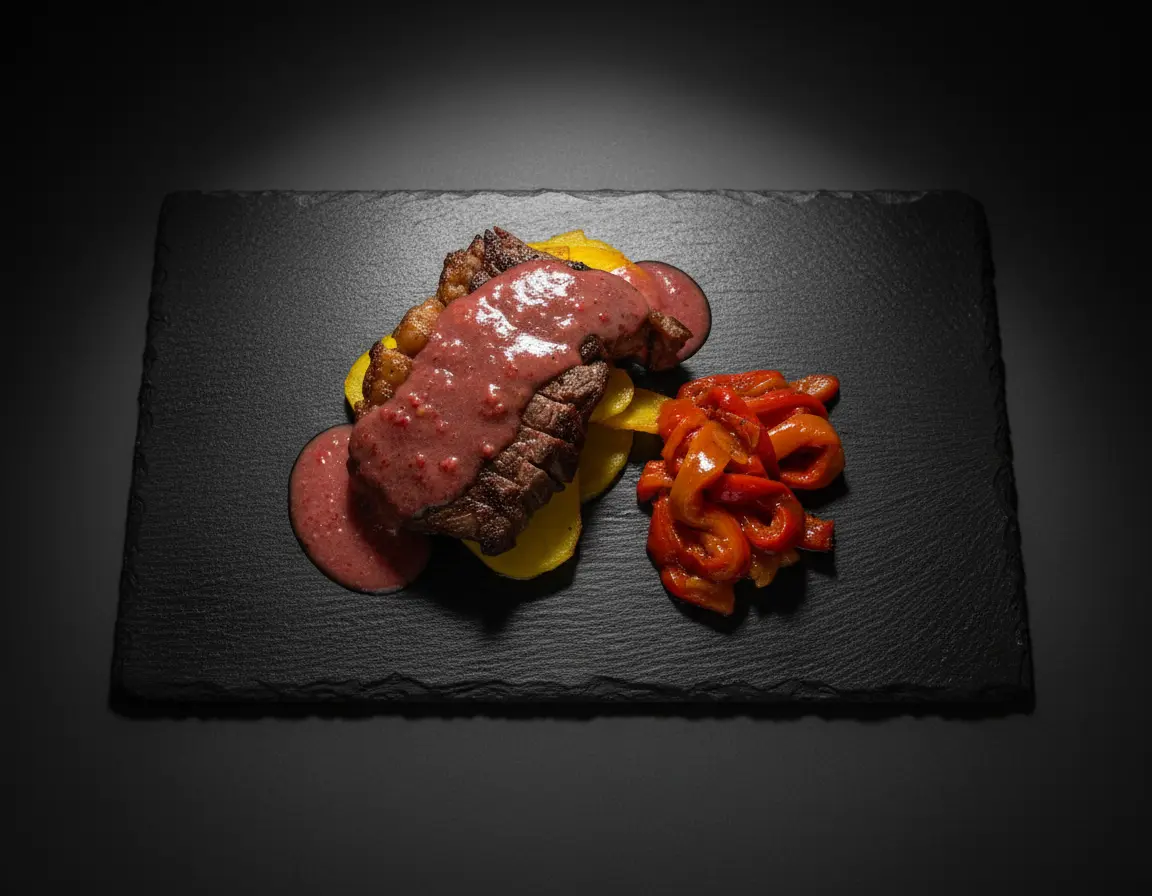
Restaurant menu photography is one of the most powerful tools for increasing orders and revenue. Studies show that menus with professional food photos can increase sales by up to 30%, and dishes with images are ordered 6.5 times more often than those without. Whether you're running a fine dining establishment, a casual cafe, or a food delivery service, the quality of your menu images directly impacts your bottom line.
In this comprehensive guide, we'll cover everything you need to know about creating professional menu photography that makes customers hungry and drives orders.
Why Restaurant Menu Photography Matters
Before diving into techniques, let's understand why investing in quality menu photography is essential for your restaurant business:
- Increases order value: Customers order more when they can visualize what they're getting. Professional photos trigger appetite and desire.
- Reduces order anxiety: First-time customers feel more confident ordering dishes they can see, leading to higher satisfaction.
- Builds brand perception: Quality images signal quality food. Poor photos suggest poor quality, even if your food is excellent.
- Essential for delivery platforms: On apps like Uber Eats, DoorDash, and Grubhub, your photos are your storefront. They determine whether customers choose you or a competitor.
- Social media ready: Great menu photos double as marketing content for Instagram, Facebook, and your website.
Essential Equipment for Menu Photography
You don't need the most expensive gear to create professional menu photos. Here's what actually matters:
Camera Options
- Smartphone (iPhone 12+ or equivalent): Modern smartphones produce excellent results for menu photography. The computational photography in recent phones handles lighting and focus remarkably well.
- Mirrorless camera: For the highest quality, cameras like the Sony A7 series or Canon EOS R offer superior detail and low-light performance.
- DSLR: Still excellent choices, especially for restaurants doing regular photo updates.
Must-Have Accessories
- Tripod: Essential for consistent, sharp images. Even a basic $30 tripod dramatically improves results.
- Reflector (or white foam board): Bounces light into shadows for even illumination. A $5 foam board from a craft store works perfectly.
- Diffuser: Softens harsh window light. A white bedsheet or shower curtain can work in a pinch.
Lighting for Menu Photography
Lighting is the single most important factor in menu photography. Great lighting makes food look fresh, appetizing, and professional. Poor lighting makes even the best dishes look unappetizing.
Natural Light Setup
Natural light is ideal for menu photography because it renders food colors accurately and creates a fresh, inviting look:
- Position near a large window: Set up your shooting area 2-4 feet from a window with indirect light.
- Shoot during optimal hours: Mid-morning to early afternoon provides the most consistent, flattering light. Avoid midday harsh sun.
- Use side lighting: Position the window to the side of your dish (not behind you) for dimension and depth.
- Diffuse if needed: If sunlight is too harsh, hang a white sheet or use a diffuser panel between the window and food.
Artificial Light Setup
If natural light isn't available or consistent, artificial lighting gives you complete control:
- Use continuous LED lights: Softbox LED panels (around $100-300) provide consistent, controllable light.
- Match color temperature: Use daylight-balanced lights (5500K-6500K) for accurate food colors.
- Avoid overhead fluorescents: Restaurant overhead lighting creates unflattering shadows and color casts.
Best Camera Angles for Different Dishes
Different dishes look best from different angles. Here's a guide to choosing the right perspective:
45-Degree Angle (Most Versatile)
The 45-degree angle works for most dishes and is the standard for menu photography. It shows both the top and side of the dish, providing context and dimension.
Best for: Plated entrees, pasta dishes, salads, sandwiches, soups with garnishes.
Top-Down (Flat Lay)
Shot directly from above, this angle is perfect for dishes with beautiful surface arrangements.
Best for: Pizza, flatbreads, grain bowls, sushi platters, charcuterie boards, flat appetizers.
Eye-Level (Straight On)
Shooting at the same level as the dish creates an intimate, inviting perspective.
Best for: Burgers, stacked sandwiches, layer cakes, cocktails, tall desserts, anything with impressive height.
Food Styling Tips for Menu Photos
Professional food stylists use specific techniques to make dishes look their absolute best. Here are the essentials:
Preparation Tricks
- Slightly undercook: Food that's slightly undercooked looks fresher and more vibrant in photos. Vegetables should be bright, not dull.
- Use fresh ingredients: Wilted garnishes or brown edges are magnified in photos. Use the freshest ingredients available.
- Build height: Stack ingredients to create dimension. Use hidden supports if needed (a small ramekin under rice, for example).
- Brush with oil: A light brush of oil on proteins and vegetables adds appetizing shine and prevents drying under lights.
Plating Principles
- Use appropriate plate sizes: The plate should frame the food without too much empty space. Food should fill 70-80% of the plate.
- Clean plate edges: Wipe any drips or smudges from plate rims before shooting.
- Create focal points: Arrange proteins or hero ingredients prominently. Guide the eye to the most appealing element.
- Add texture contrast: Combine smooth sauces with crispy elements, or creamy bases with crunchy toppings.
Garnishing Effectively
- Use relevant garnishes: Garnishes should relate to the dish's ingredients or cuisine.
- Fresh herbs are gold: Basil, parsley, cilantro, microgreens—fresh herbs add color and suggest freshness.
- Don't over-garnish: One or two well-placed garnishes beat a cluttered plate every time.
Backgrounds and Props for Menu Photography
The right background and props enhance your food without distracting from it:
Background Options
- Wood surfaces: Rustic, warm, works well for Italian, American, comfort food.
- Marble or stone: Elegant, sophisticated, ideal for fine dining, desserts.
- Slate: Dark and dramatic, makes colors pop, great for steaks and rich dishes.
- Solid colors: Black, white, or muted tones that don't compete with food colors.
Props to Consider
- Utensils: Forks, knives, or chopsticks add scale and context.
- Linens: Cloth napkins add texture without overwhelming.
- Ingredients: Raw ingredients that appear in the dish suggest freshness.
- Hands: Human hands reaching for food create warmth and action.
Important: For delivery platform menus (Uber Eats, DoorDash), keep backgrounds simple and consistent across all dishes. Complex props can distract in small thumbnail views.
Shooting Workflow for Efficiency
Restaurants need to photograph many dishes efficiently. Here's a streamlined workflow:
- Plan your shot list: Before shooting day, list every dish and note the best angle for each.
- Set up your station: Configure lighting, camera, and background before any food arrives.
- Use stand-ins: Perfect your composition with similar-looking items before the final dish is plated.
- Group similar dishes: Shoot all dishes requiring the same angle consecutively to minimize setup changes.
- Work quickly: Once food is plated, you have 5-10 minutes before it starts looking tired.
- Take multiple shots: Shoot 10-20 images per dish from slightly different positions to ensure you have options.
Editing Your Menu Photos
Post-processing transforms good photos into great ones. Focus on these adjustments:
- White balance: Ensure whites are truly white and food colors are accurate. Nothing kills appetite like a yellow or blue color cast.
- Exposure and contrast: Brighten shadows and add contrast for a professional look.
- Saturation: Slightly boost colors to make food pop, but don't overdo it—unnatural colors look fake.
- Sharpening: Apply subtle sharpening to enhance texture details.
- Cleanup: Remove crumbs, spots, or distractions using healing/clone tools.
Consistency is key: All your menu photos should have a consistent look and feel. Create a preset or style guide and apply it to all images.
Menu Photography for Delivery Platforms
Delivery apps have specific requirements and best practices:
Technical Requirements
- Resolution: Minimum 1200x800 pixels, preferably higher.
- Aspect ratio: Square (1:1) or 4:3 works best for most platforms.
- File format: JPEG with good compression (keep under 5MB).
Best Practices
- Fill the frame: Food should be prominent since images display as small thumbnails.
- Simple backgrounds: Neutral backgrounds work best—avoid busy patterns.
- Accurate representation: Photos must represent actual portion sizes and presentation.
- Bright and appetizing: Well-lit photos stand out in scrolling feeds.
AI-Powered Menu Photography
Modern AI tools have revolutionized restaurant menu photography, making professional results accessible to businesses of all sizes:
- Enhance existing photos: AI can transform basic smartphone photos into professional-quality images.
- Apply consistent styling: Automatically apply professional photography styles across your entire menu.
- Adjust angles and perspectives: Some AI tools can modify camera angles post-shoot.
- Speed and cost efficiency: Update your menu photos in hours instead of scheduling expensive photo shoots.
Tools like Platora enable restaurants to achieve professional menu photography results without the cost of hiring a photographer for every menu update. This is particularly valuable for restaurants that frequently update seasonal menus or add new dishes.
Common Menu Photography Mistakes to Avoid
Even experienced photographers make these errors. Watch out for:
- Poor lighting: Shooting under fluorescent restaurant lights or with on-camera flash creates unflattering results.
- Wrong white balance: Orange or blue color casts make food look unappetizing.
- Inconsistent style: Mixing different backgrounds, lighting styles, or editing across your menu looks unprofessional.
- Overcrowded frames: Too many props or too much food creates visual chaos.
- Misleading photos: Images that don't match actual portions damage customer trust.
- Low resolution: Blurry or pixelated images suggest low quality food.
Frequently Asked Questions
How much does restaurant menu photography cost?
Professional restaurant menu photography typically costs $25-$75 per dish for basic shots, or $500-$2,000 for a full menu session with a professional photographer. Alternatively, AI-powered tools like Platora offer professional results at a fraction of the cost, making it accessible for restaurants of all sizes.
What is the best angle for menu photography?
The 45-degree angle is most versatile for menu photography as it shows both the top and side of dishes. Top-down works well for flat items like pizza and bowls, while eye-level shots are ideal for tall items like burgers and layered desserts.
Can I take my own restaurant menu photos?
Yes, with proper lighting (natural light near a window), a smartphone with a good camera, simple props, and basic editing, you can take quality menu photos. AI enhancement tools can then transform these into professional-quality images suitable for menus and delivery platforms.
Conclusion: Elevate Your Menu with Better Photography
Restaurant menu photography is an investment that pays for itself through increased orders and higher customer satisfaction. Whether you hire a professional, do it yourself, or use AI-powered tools, the key principles remain the same:
- Great lighting is non-negotiable
- Choose angles that flatter each dish
- Style food to look fresh and appetizing
- Keep backgrounds and props simple
- Maintain consistency across your entire menu
- Edit thoughtfully without over-processing
With these techniques, you'll create menu photos that make customers hungry, increase orders, and elevate your restaurant's brand. Your food deserves to be seen at its best—make sure your menu photography delivers.