The ghost kitchen industry has exploded. What started as an experiment during the pandemic has become a permanent fixture of the restaurant landscape. By 2026, ghost kitchens, dark kitchens, cloud kitchens — whatever you call them — represent one of the fastest-growing segments in food service.
But ghost kitchens face a challenge that traditional restaurants don't: your food photos are your only marketing. There's no beautifully designed dining room to attract passersby, no Instagram-worthy interior, no smell of fresh bread pulling people through the door. When a customer scrolls through Uber Eats, DoorDash, or Deliveroo, your menu photos are the only thing standing between you and the next option. If those photos don't stop the scroll, nothing else will.
The good news? You don't need a studio, a professional photographer, or even a pretty space to create food photos that convert. This guide covers everything ghost kitchen operators need to know about creating professional food imagery — from setting up a photo station in a commercial kitchen to scaling photography across multiple virtual brands.
Why Food Photography Matters More for Ghost Kitchens
For a traditional restaurant, food photography is one part of a larger marketing mix. Customers might discover you through word of mouth, walk past your storefront, or read a review about your atmosphere. A ghost kitchen doesn't have any of those channels. Your customer's entire experience before ordering is this: they see a name, they see photos, they see a price. That's it.
Research from major delivery platforms consistently shows that menu listings with professional photos receive 30-50% more orders than those without images or with low-quality shots. For ghost kitchens, this gap is even more pronounced because there's no brand recognition or physical presence to compensate for weak visuals.
Consider what happens when a customer searches for "Thai food" on a delivery app. They're presented with 15-30 options. They can't smell your pad thai or peek into your kitchen. They make a split-second decision based almost entirely on which dishes look the most appetizing in the tiny thumbnail images on their phone screen. That's the reality of ghost kitchen marketing, and it's why food photography for delivery apps isn't optional — it's existential.
Setting Up a Photo Station in Your Kitchen
You don't need a dedicated studio. Most ghost kitchens can create a functional photo station with minimal space and equipment. Here's how to set one up:
Find Your Spot
Look for a clean corner with access to natural light — near a window or a loading dock door. If natural light isn't available (many ghost kitchens are windowless), a basic ring light or two softbox lights will work. The surface should be a clean countertop, stainless steel prep table, or a portable backdrop board. Keep a few simple surfaces on hand — a slate tile, a wooden cutting board, a piece of marble contact paper — to add variety to your backgrounds.
Essential Equipment
Ghost kitchen food photography doesn't require an expensive setup. Here's the minimum you need:
- A smartphone (any modern phone): The camera on any phone from the last 3-4 years is more than sufficient. AI enhancement tools will handle the rest.
- A phone tripod or stand ($10-25): Eliminates blur and ensures consistent angles across your entire menu.
- A ring light or clip-on LED ($15-40): Essential if you lack natural light. Soft, diffused lighting prevents harsh shadows.
- 2-3 background surfaces ($20-50): Slate, wood, or marble-look boards give you variety without clutter.
- A clean white plate set: Standard white plates photograph best and make food colors pop. Reserve a set specifically for photography.
Total setup cost: under $100. Compare that to the $2,000-5,000 a professional shoot would cost, and the ROI is obvious. For a deeper dive into equipment options, see our food photography equipment guide.
Shooting Techniques for Ghost Kitchen Menus
Ghost kitchen photography has specific requirements that differ from general food photography. Your images will primarily be viewed as small thumbnails on phone screens, which changes how you should approach shooting.
Shoot for the Thumbnail
On a delivery app, your photo appears as a small card — roughly 150-200 pixels on screen. That means fine details get lost. What survives at thumbnail size are bold colors, clear shapes, and strong contrast. Fill the frame tightly with the dish. Avoid wide shots with lots of negative space — they turn into unreadable blobs at small sizes. Your customer should be able to identify the dish instantly, even at thumbnail scale.
Keep Backgrounds Clean and Simple
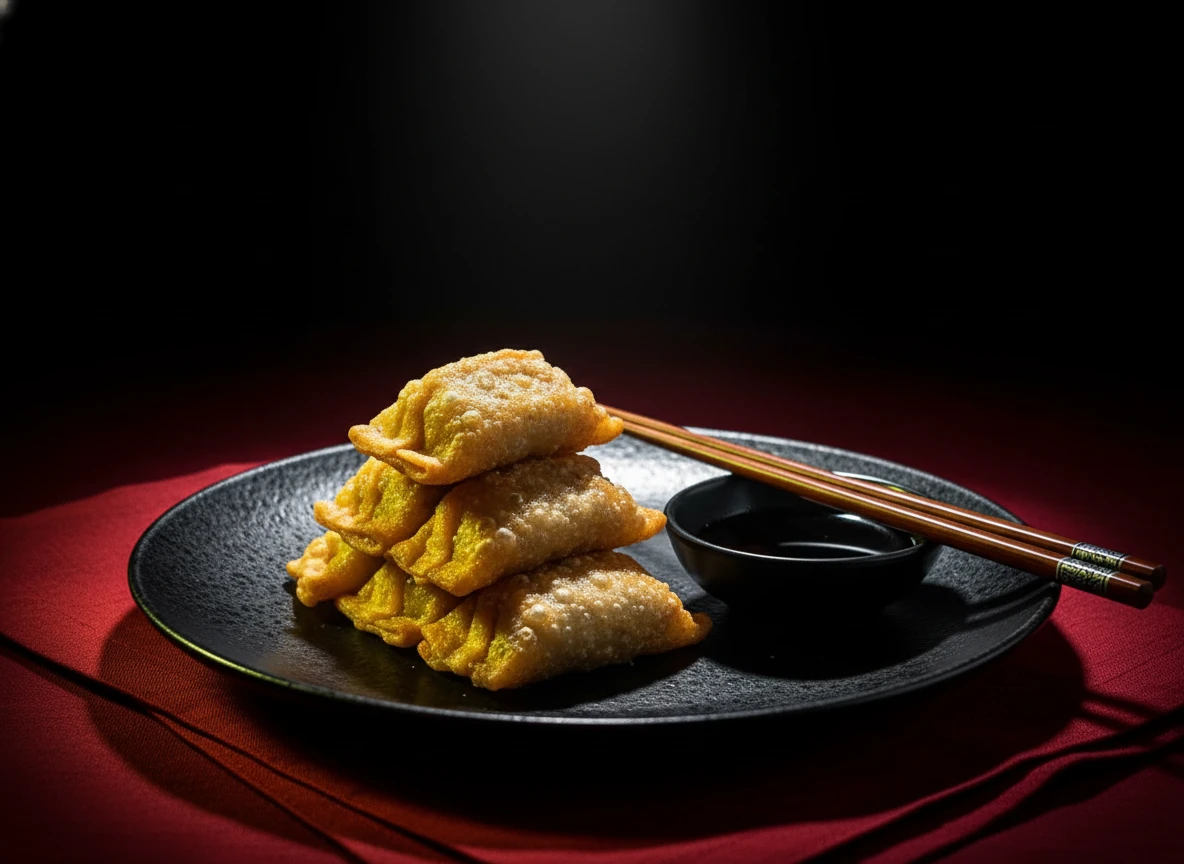
Elaborate styling with garnishes, props, and multiple elements looks great in a magazine but distracts in a delivery context. Ghost kitchen photos work best with a clean, uncluttered background that puts all attention on the food. A dark surface creates drama; a light surface feels clean and fresh. Pick one approach and stay consistent across your menu.
Shoot Everything the Same Day
Consistency matters more than individual perfection. Set aside 2-3 hours to photograph your entire menu in one session. Same lighting, same background, same angle. This creates a cohesive look across your delivery profile that signals professionalism. When different dishes have wildly different lighting and styles, it looks like the photos were pulled from Google Images rather than shot by a real kitchen.
Best Angles for Delivery App Photos
- 45-degree angle: The most versatile option. Works for burgers, bowls, sandwiches, and most entrees. Shows both the top and side of the dish, giving depth.
- Overhead (flat lay): Ideal for pizzas, grain bowls, sushi platters, and anything that looks best from above. Great for showing all the components.
- Straight-on: Perfect for stacked items like burgers, pancakes, and layered desserts. Shows the height and layers dramatically.
For more on angles and framing, see our guide to food photography composition.
Managing Multiple Virtual Brands
Many ghost kitchens operate multiple virtual brands from the same kitchen — a burger concept, a wing brand, and a salad bar, all cooked by the same team. Each brand needs its own visual identity on delivery platforms, and photography plays a central role in keeping them distinct.
Create Distinct Visual Identities
Each virtual brand should have its own photography style. This doesn't mean buying entirely different equipment — it means using different backgrounds, props, and color palettes:
- Burger brand: Dark, moody backgrounds with warm lighting. Rustic wood surfaces. Close-up shots showing textures — melting cheese, crispy edges, juice dripping.
- Healthy salad brand: Bright, airy backgrounds. White or light marble surfaces. Overhead shots showing fresh ingredients and vibrant colors.
- Asian fusion brand: Minimalist backgrounds, perhaps dark slate or bamboo. 45-degree angles with chopsticks or sauce bowls as subtle props.
AI photography tools make managing multiple brand styles practical. With tools like Platora, you can save different style presets as custom themes — one for each virtual brand — and apply them consistently to every new dish photo. Take one photo, apply three different styles, and you have three brand-appropriate images from a single shot.
Using AI to Scale Ghost Kitchen Photography
Ghost kitchens move fast. Menus change weekly. New brands launch monthly. Seasonal specials rotate constantly. Traditional photography can't keep up with that pace — you'd be scheduling photoshoots every week and spending thousands per month. This is where AI food photography becomes a game-changer for ghost kitchen operations.
The workflow is simple:
- Step 1: Take a quick smartphone photo of the dish at your kitchen photo station.
- Step 2: Upload it to an AI food photography tool and select your brand's saved style.
- Step 3: Download the enhanced image, sized for your delivery platform, in seconds.
No waiting for a photographer's schedule. No paying per image. No inconsistency between shoots. A ghost kitchen running three brands with 30 items each can photograph or re-photograph their entire portfolio in a single afternoon.
Platform-Specific Tips for Ghost Kitchen Photos
Each delivery platform has slightly different requirements and best practices for food imagery:
| Platform | Recommended Size | Best Practices |
|---|---|---|
| Uber Eats | 1200 x 800px minimum | Landscape orientation, tight crop on dish, avoid text overlays |
| DoorDash | 1200 x 1200px (square) | Center the dish, clean background, high contrast colors |
| Deliveroo | 1024 x 1024px (square) | Natural-looking images, no filters, show portion size accurately |
| Grubhub | 2000 x 2000px | High-resolution, well-lit, show key ingredients clearly |
| Just Eat | 1600 x 1200px | 4:3 aspect ratio, appetizing presentation, no logos |
The good news is that most AI tools let you export images at different sizes and aspect ratios from a single upload, so you can optimize for each platform without shooting separately.
Common Ghost Kitchen Photography Mistakes
Ghost kitchens face unique photography challenges. Here are the most common mistakes and how to avoid them:
- Using stock photos instead of real food images: Customers can tell, and delivery platforms sometimes penalize or flag listings with stock imagery. Always photograph your actual dishes.
- Misrepresenting portion sizes: Use angles and compositions that show the actual portion honestly. Extreme close-ups can make a small dish look large, leading to disappointed customers and bad reviews.
- Inconsistent styling across menu items: If half your menu has bright, airy photos and the other half has dark, blurry shots, it looks unprofessional. Shoot everything in one session or use AI to normalize the style.
- Photographing food in delivery packaging: Always photograph dishes plated on a real plate. The packaging photo can come separately, but your hero image should show the food at its most appetizing.
- Ignoring the "travel factor": Your dish will be delivered, not eaten at a table. If a dish doesn't travel well — if the sauce separates, the bun gets soggy, or the garnish wilts — consider photographing a version that represents what the customer will actually receive.
For a broader look at photography pitfalls, check out our article on food photography mistakes to avoid.
Building a Photography Workflow for Your Ghost Kitchen
The most successful ghost kitchens treat food photography as a routine process, not a one-time project. Here's a practical workflow:
- Initial shoot (day 1): Set up your photo station, photograph every current menu item. Use AI enhancement to create your brand's visual standard. This is your baseline.
- New items (ongoing): Whenever a new dish is added, photograph it during a quiet period using the same setup. Apply the same AI style for consistency.
- Seasonal refresh (quarterly): Re-photograph your top 10 sellers with fresh plating. This keeps your listings looking current and gives the algorithm a reason to boost your visibility.
- Multi-brand expansion: When launching a new virtual brand, create a dedicated AI style theme. Photograph the full menu in one session. Apply the theme to match your new brand identity.
This workflow means you spend maybe 30 minutes per week on photography instead of scheduling expensive monthly shoots. The consistency pays for itself in higher conversion rates and better platform rankings.
Ghost kitchens live and die by their digital presence. The operators who invest in consistent, professional food photography — even if that "investment" is just a smartphone, a ring light, and an AI tool — consistently outperform those who treat photos as an afterthought. In a world where your customer's first impression is a 150-pixel thumbnail, every pixel counts.