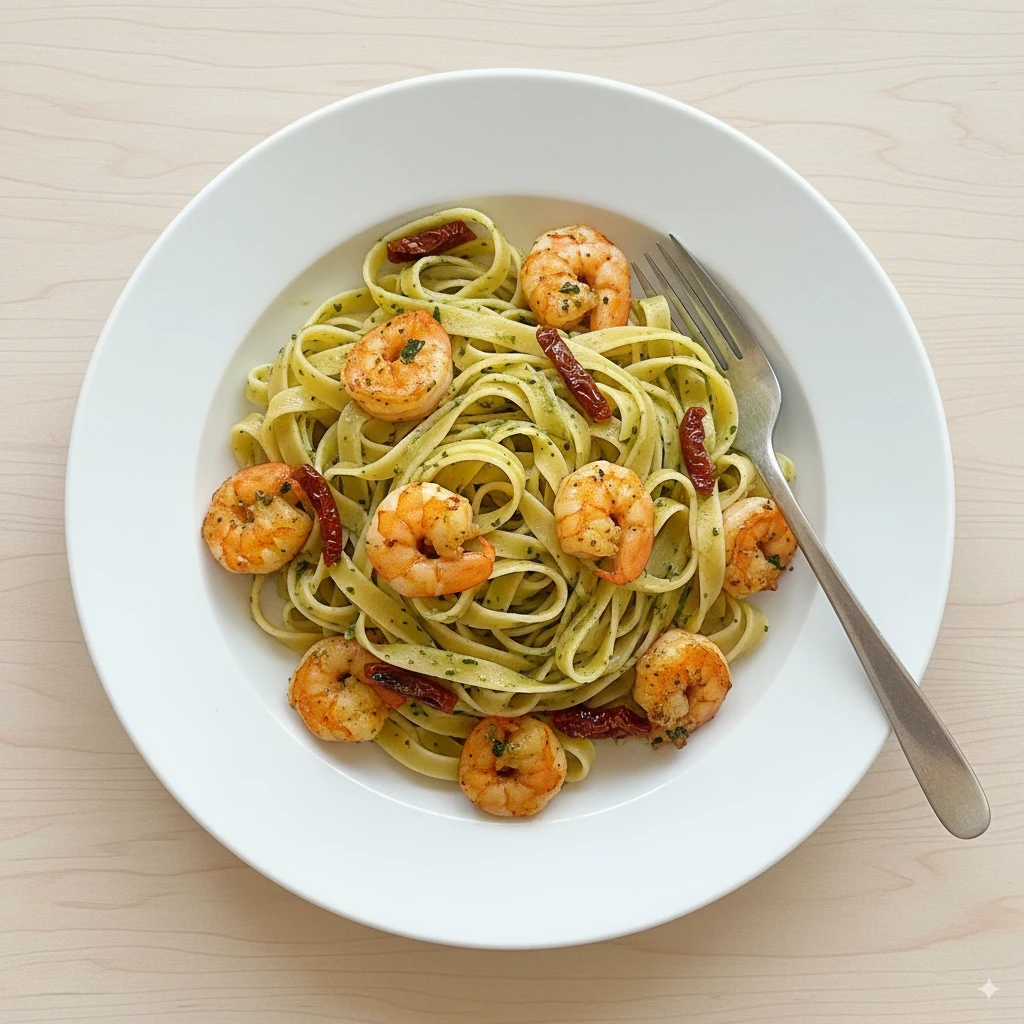
Professional food photography can transform your restaurant's success. High-quality images increase orders by up to 30% on delivery apps and significantly boost social media engagement. But hiring a professional food photographer costs $2,000-$5,000 per shoot—a budget many restaurants simply don't have.
The good news? You don't need to hire a food photographer to get professional results. In this guide, we'll show you 7 proven methods to create stunning food photos that look like they were shot by a professional—at a fraction of the cost.
📌 Key Takeaways
- Professional food photos are possible without expensive photographers
- AI enhancement tools can transform smartphone photos into professional images
- You can save 90%+ compared to traditional food photography
- Natural lighting and basic composition are the foundations of great food photos
Why You Don't Need to Hire a Food Photographer
Ten years ago, professional food photography required expensive cameras, studio lighting, and years of expertise. Today, the landscape has completely changed:
- Smartphone cameras now rival professional cameras for food photography
- AI enhancement tools can transform basic photos into professional-quality images
- Natural lighting techniques are easy to learn and free to use
- Online tutorials have democratized photography knowledge
The result? Restaurant owners, food bloggers, and home cooks can now create professional-quality food photos without any photography background.
Method 1: Master Natural Lighting
Lighting is the single most important factor in food photography—and the best light is free. Here's how to use it:
The Window Light Setup
- Find a large window with indirect sunlight (north-facing is ideal)
- Position your dish 2-4 feet from the window
- Place a white foam board opposite the window to bounce light and reduce shadows
- Avoid direct sunlight which creates harsh shadows and hot spots
Pro tip: The best times for food photography are 10am-2pm when natural light is soft and even. Cloudy days actually provide the most flattering light for food.
Method 2: Use Your Smartphone Like a Pro
Modern smartphones have incredible cameras. Here's how to maximize them for food photography:
Essential Smartphone Settings
- Turn OFF flash: Phone flash creates unflattering, flat lighting
- Use Portrait Mode: Creates professional depth-of-field (blurred background)
- Tap to focus: Always tap on the food to ensure it's sharp
- Exposure lock: Hold your finger on the screen to lock exposure
- Grid lines: Enable the grid for better composition (rule of thirds)
Best Angles for Food Photography
- Top-down (90°): Perfect for flat dishes, pizzas, salads, and overhead presentations
- 45-degree angle: The most versatile angle, shows both top and side of dish
- Eye-level: Great for tall dishes, burgers, stacked items, and beverages
Method 3: AI Food Photography Enhancement
This is the game-changer that makes professional food photography accessible to everyone. AI enhancement tools take your basic smartphone photos and transform them into images that look like they were shot by a professional food photographer.
How AI Food Photography Works
- Upload your photo: Take a basic photo of your dish with your phone
- Select a style: Choose from professional styles like "Clean & Airy," "Rustic," or "Cinematic"
- AI enhancement: The tool applies professional lighting, color grading, and composition
- Download: Get your professional-quality image in seconds
Tools like Platora offer 16 professional photography styles and 7 camera angle options, allowing you to transform any smartphone photo into restaurant-quality imagery.
💰 Cost Comparison
Professional Photographer
$2,000-$5,000
per shoot
AI Enhancement (Platora)
$9.99-$39.99
per month (unlimited updates)
Method 4: DIY Food Styling Basics
Professional food stylists charge $200-$800 per day. But you can apply basic styling techniques yourself:
Quick Styling Tips
- Fresh garnishes: Add herbs, microgreens, or citrus zest right before shooting
- Oil brush: Lightly brush proteins with oil for a fresh, glistening look
- Undercook slightly: Food photographed immediately after cooking looks better than reheated
- Height and layers: Stack ingredients to create visual interest
- Sauce drizzle: Use a squeeze bottle for precise, artistic sauce placement
- Steam simulation: A damp cotton ball in the microwave creates "fresh steam" for photos
Method 5: Background and Props on a Budget
You don't need expensive props. Here are affordable options:
Budget-Friendly Backgrounds
- Wood boards: $10-$30 at craft stores
- Marble contact paper: $10 for a professional marble look
- Concrete tiles: $3-$5 each from hardware stores
- Fabric napkins: Neutral linen creates instant texture
- Baking sheets: Dark metal creates dramatic backgrounds
Method 6: Batch Photography Sessions
Instead of photographing dishes one at a time, schedule dedicated photo sessions:
- Plan your menu: List all dishes that need photography
- Group by preparation: Shoot similar dishes together
- Set up once: Create your lighting and background setup
- Shoot everything: Photograph all dishes in one session
- Enhance in batch: Use AI tools to process all photos at once
This approach saves hours and ensures consistent styling across your entire menu.
Method 7: Leverage User-Generated Content
Your customers are already photographing your food! Here's how to use their photos:
- Create a branded hashtag: Encourage customers to tag their photos
- Ask permission: Reach out to customers for rights to use their photos
- Enhance the best ones: Use AI tools to upgrade customer photos to professional quality
- Credit the photographer: Build community by giving credit
The Complete DIY Food Photography Workflow
Here's your step-by-step process for professional food photos:
-
Prepare your dish
Cook slightly underdone for photography. Add fresh garnishes. -
Set up near natural light
Window light, white bounce card opposite. -
Style your scene
Background, props, and dish placement. -
Take multiple photos
Various angles, compositions, and distances. -
Select your best shots
Choose 2-3 with best lighting and composition. -
Enhance with AI
Upload to Platora for professional-quality results.
When You Should Still Consider Hiring a Photographer
While DIY and AI can handle most needs, there are situations where a professional might be worth it:
- High-end brand campaigns: Luxury restaurants with premium positioning
- Magazine/cookbook features: Print publications have specific requirements
- Major advertising: Billboards and major media campaigns
- Lifestyle shots with people: Photos featuring diners and ambiance
For everything else—menus, delivery apps, websites, social media—DIY with AI enhancement delivers professional results at a fraction of the cost.
Conclusion: Professional Food Photos Are Within Reach
You no longer need to choose between expensive professional photography and amateur-looking images. With the right techniques and modern AI tools, you can:
- ✅ Create professional-quality food photos yourself
- ✅ Save 90%+ compared to hiring a photographer
- ✅ Update your menu photos anytime without scheduling a shoot
- ✅ Get consistent quality across all your food images
- ✅ Boost your delivery orders and social media engagement
The barrier to professional food photography has never been lower. Start with the techniques in this guide, and consider AI enhancement tools to take your photos from good to professional.