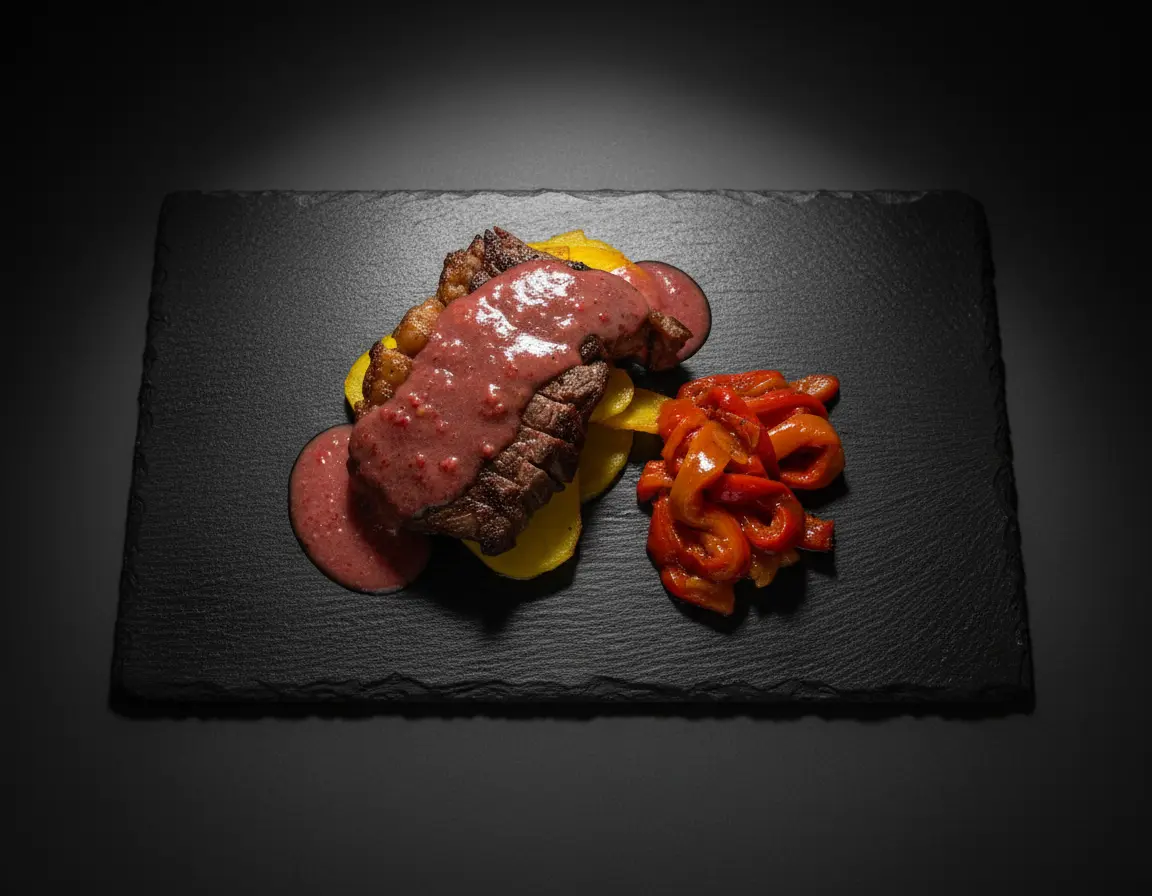
Even the best-captured food photos benefit from thoughtful editing. Post-processing is where good food photography becomes great—where colors pop, textures shine, and images become truly appetizing. Whether you're a restaurant owner, food blogger, or professional photographer, mastering food photography editing is essential for creating images that stand out.
This comprehensive guide covers everything from basic adjustments to advanced retouching techniques, helping you develop a professional editing workflow for food photography.
The Foundation: Shooting for the Edit
Great editing starts before you open any software. Setting yourself up for success in-camera makes post-processing faster and produces better results:
- Shoot in RAW: RAW files capture significantly more data than JPEGs, giving you maximum flexibility to adjust exposure, white balance, and colors without quality loss.
- Expose correctly (or slightly under): It's easier to brighten shadows than recover blown highlights. Slightly underexposing preserves detail in bright areas.
- Get white balance close: While you can adjust white balance in post, starting close saves time and ensures color accuracy.
- Focus on composition: You can't fix bad composition in editing. Get it right in-camera.
Essential Editing Workflow
Follow this order for efficient, effective food photo editing:
1. Culling and Selection
Before editing, select your best shots. Look for:
- Sharp focus on the key elements
- Best composition and angles
- Most appetizing food presentation
- Good exposure and lighting
2. White Balance Correction
Accurate white balance is crucial for appetizing food photos. Incorrect color casts can make food look unnatural or unappetizing:
- Use the eyedropper tool: Click on something neutral (white plate, gray surface) to auto-correct white balance.
- Warm vs. cool: Food generally looks more appetizing with slightly warm tones. Avoid blue color casts at all costs.
- Trust your eyes: If the food looks how it did in person, you're on the right track.
3. Exposure and Tone Adjustments
Balance brightness and contrast for visual impact:
- Exposure: Adjust overall brightness. Food photos often benefit from being slightly brighter than you might think.
- Contrast: Increases the difference between lights and darks. Too much makes images harsh; too little looks flat.
- Highlights: Reduce to recover detail in bright areas (steam, reflections on glossy surfaces).
- Shadows: Lift shadows to reveal detail without losing depth. Be careful not to flatten the image.
- Whites and Blacks: Set your white and black points for full tonal range. Use the histogram as a guide.
4. Color Correction and Enhancement
Make colors accurate and appetizing:
- Vibrance: Boosts muted colors while protecting already-saturated areas. More natural than saturation for food.
- Saturation: Increases intensity of all colors equally. Use sparingly to avoid unnatural results.
- HSL (Hue, Saturation, Luminance): Target specific colors. Boost oranges and reds for meat; enhance greens for vegetables.
- Color grading: Add subtle color tints to shadows, midtones, or highlights for mood and style.
5. Sharpening and Detail
Enhance texture and crispness:
- Sharpening: Apply moderate sharpening to enhance texture. Over-sharpening creates halos and artifacts.
- Clarity/Texture: Increases mid-tone contrast, making textures pop. Great for crusty bread, grilled marks, and crispy elements.
- Noise reduction: Apply if shooting at high ISO. Balance noise reduction with detail preservation.
6. Local Adjustments
Target specific areas for refined control:
- Radial filters: Create vignettes or spotlight the main subject.
- Graduated filters: Balance exposure across the frame (bright window, dark foreground).
- Brush adjustments: Paint adjustments onto specific areas—brighten a garnish, saturate a sauce, darken distracting elements.
Advanced Retouching Techniques
Removing Imperfections
Clean up distracting elements while maintaining authenticity:
- Spot removal/healing: Remove crumbs, spills, dust, or fingerprints from plates and surfaces.
- Clone stamp: Duplicate textures to cover imperfections or extend backgrounds.
- Content-aware fill: Remove larger unwanted elements like stray utensils or background distractions.
Enhancing Food Appeal
- Dodge and burn: Selectively lighten and darken areas to add dimension and draw attention to key elements.
- Enhance steam: Subtly increase visibility of steam using masks and curves for hot dishes.
- Boost highlights on wet/glossy surfaces: Makes food look fresh and juicy.
- Sharpen selectively: Apply extra sharpening to hero elements while leaving backgrounds softer.
Creating Consistent Style
Consistency is crucial for brands and portfolios. Develop and apply a signature editing style:
- Create presets: Save your editing settings as presets for quick, consistent application across images.
- Develop a color palette: Decide on your preferred color temperature, saturation levels, and color grading approach.
- Sync settings: Apply the same adjustments across a series of images from the same shoot.
- Document your workflow: Keep notes on your preferred settings for reference.
Common Editing Mistakes to Avoid
- Over-saturation: Makes food look artificial and untrustworthy. Keep colors believable.
- Excessive contrast: Creates harsh shadows and blown highlights. Maintain natural tonal transitions.
- Heavy-handed sharpening: Creates halos and makes images look over-processed.
- Unnatural color casts: Green or blue tints make food look spoiled or cold.
- Over-smoothing: Removing too much texture makes food look plastic or artificial.
- Forgetting the background: Edit the entire frame, not just the food. Distracting backgrounds ruin otherwise great shots.
Platform-Specific Export Settings
Optimize your exports for different uses:
- Instagram: 1080x1350px (4:5) or 1080x1080px (1:1), sRGB color space, 72dpi.
- Website/blog: 1500-2000px on the long edge, optimized for web (compressed JPEG or WebP).
- Print: Full resolution, 300dpi, Adobe RGB or CMYK color space.
- Delivery apps: Check platform requirements—most require specific dimensions and file sizes.
AI-Powered Editing: The Modern Approach
AI tools are revolutionizing food photography editing. Modern AI can:
- Auto-enhance images: Apply professional-quality adjustments automatically.
- Maintain consistency: Apply consistent styling across large batches of images.
- Save time: Complete in seconds what might take minutes or hours manually.
- Learn your style: Adapt to your preferences and brand guidelines.
Tools like Platora offer AI-powered food photography enhancement specifically designed for the unique requirements of food images, making professional-quality editing accessible to everyone.
Conclusion: Edit with Intention
Great food photography editing isn't about applying the most filters or making the most dramatic changes. It's about enhancing what's already there—making colors more vibrant, textures more appealing, and compositions more compelling while maintaining authenticity.
Develop a workflow that works for you, create presets for consistency, and always edit with intention. Ask yourself: does this make the food look more appetizing? Does it represent the dish accurately? Would this make someone want to eat it?
With practice, food photography editing becomes intuitive. You'll develop an eye for what works and a workflow that produces consistently stunning results.