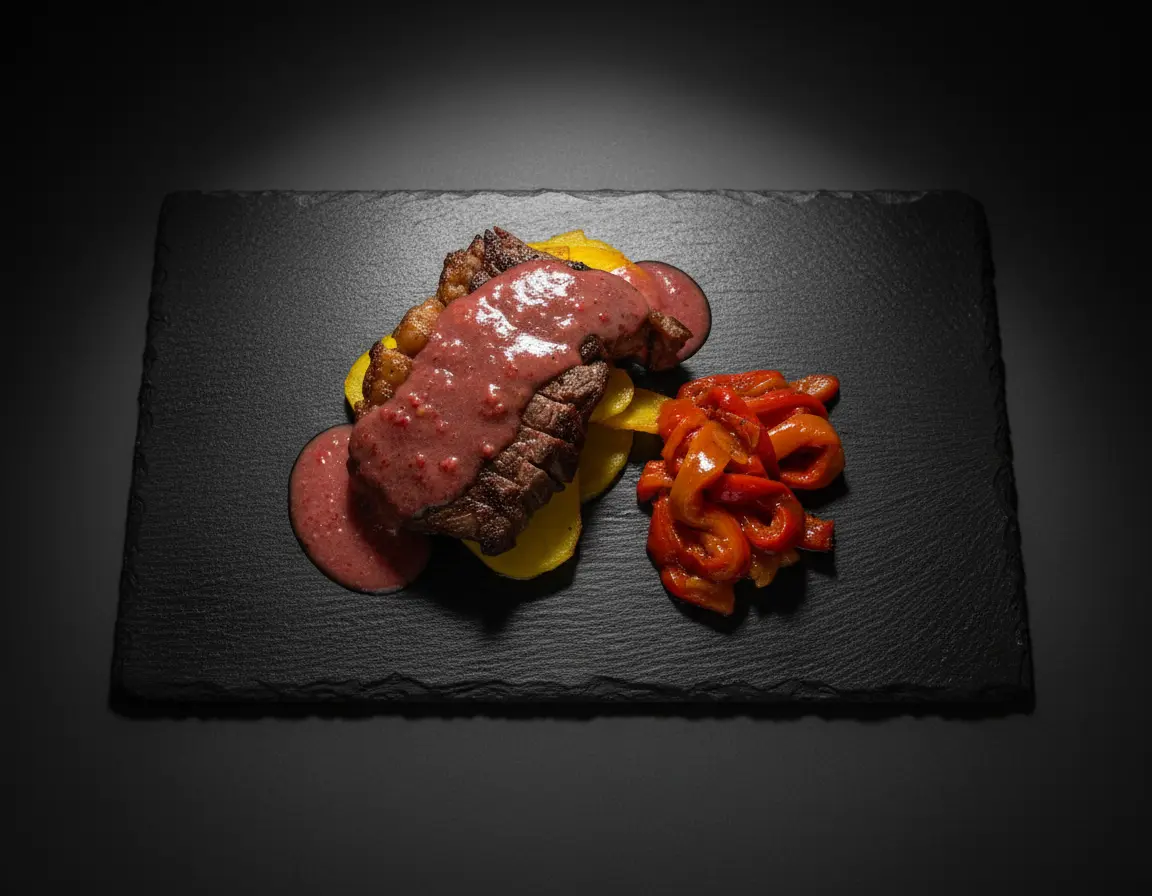
In 2026, food delivery apps account for over 40% of restaurant revenue for many establishments. With platforms like Uber Eats, DoorDash, Grubhub, and Deliveroo becoming the primary way customers discover and order food, your menu photos have never been more important.
Studies show that restaurants with professional food photography see up to 30% higher order rates on delivery platforms compared to those without quality images. In this guide, we'll cover everything you need to know to optimize your food photography for maximum conversions.
Why Delivery App Photography is Different
Food photography for delivery apps requires a different approach than traditional restaurant photography or Instagram content. Here's why:
- Thumbnail-first viewing: Most customers first see your food as a small thumbnail while scrolling. Images need to be impactful at small sizes.
- Quick decision making: Users typically browse for just seconds before deciding. Your image needs to communicate value instantly.
- Accurate representation: Unlike aspirational marketing, delivery photos must accurately represent what arrives—or risk bad reviews.
- Platform-specific requirements: Each app has different image specs, aspect ratios, and quality guidelines.
Platform-Specific Image Requirements
Each delivery platform has its own specifications. Here's what you need to know:
Uber Eats
- Recommended size: 1920 x 1080 pixels (16:9 aspect ratio)
- Minimum size: 320 x 320 pixels
- File format: JPEG or PNG
- Maximum file size: 5MB
DoorDash
- Recommended size: 1600 x 1200 pixels (4:3 aspect ratio)
- Minimum size: 400 x 300 pixels
- File format: JPEG preferred
- Maximum file size: 10MB
Grubhub
- Recommended size: 2000 x 2000 pixels (1:1 square)
- Minimum size: 400 x 400 pixels
- File format: JPEG or PNG
- Maximum file size: 10MB
10 Tips for High-Converting Delivery App Photos
1. Fill the Frame
Unlike editorial food photography where negative space creates elegance, delivery app photos need to maximize the food's presence in the frame. Customers want to see exactly what they're ordering, not artistic compositions. Fill at least 70-80% of the frame with the actual food.
2. Use Bright, Even Lighting
Delivery app thumbnails are viewed on mobile screens in varying lighting conditions. Bright, evenly lit photos perform better than moody, dramatic lighting. Ensure all elements of your dish are clearly visible without harsh shadows that might look like burnt food.
3. Show Accurate Portions
Nothing leads to bad reviews faster than photos that misrepresent portion sizes. Use standardized plates and containers that you actually use for delivery. If a burger comes with five fries, photograph it with five fries—not a mountain of them.
4. Choose Clean Backgrounds
Busy backgrounds distract from the food and look cluttered at thumbnail size. Use simple, solid-colored backgrounds—white, black, or natural wood work well. Avoid branded tablecloths or complex props.
5. Shoot from the Best Angle
For delivery apps, the 45-degree angle is often the most effective because it shows both the top and side of the dish, giving customers a complete view. Reserve top-down shots for flat items like pizza or grain bowls.
6. Highlight Key Ingredients
Make sure your main selling points are visible. If a burger has premium bacon, arrange it so the bacon is clearly visible. If a salad features avocado, place it prominently. Customers buy what they can see.
7. Maintain Consistent Style
Create a cohesive visual identity across your entire menu. Use the same backgrounds, lighting style, and angles throughout. This professionalism builds trust and makes your menu easier to browse.
8. Show Food in Delivery Containers
Consider photographing some items in your actual delivery containers. This helps set accurate expectations and reduces disappointment when the order arrives. It also looks more authentic than perfectly plated restaurant photos.
9. Avoid Over-Styling
Traditional food styling tricks—like using motor oil for syrup or cardboard in burgers—create unrealistic expectations. Photograph real, freshly prepared food that your kitchen can actually replicate for every order.
10. Test at Thumbnail Size
Before finalizing your photos, view them at thumbnail size (around 100x100 pixels) to see what customers will actually see when browsing. If the dish isn't recognizable or appetizing at that size, adjust your approach.
Common Mistakes to Avoid
- Using stock photos: Customers can tell, and it destroys trust
- Inconsistent photo quality: Some items with pro photos, others with phone snaps
- Outdated images: Photos of menu items that have changed
- Missing photos: Items without any images get significantly fewer orders
- Over-filtered images: Heavy filters can make food look unnatural
Using AI to Optimize Your Delivery Photos
AI-powered tools are revolutionizing how restaurants create and optimize delivery app photography. Tools like Platora can help you:
- Enhance lighting and colors to meet platform standards
- Adjust backgrounds for cleaner, more professional looks
- Create multiple variations optimized for different platforms
- Maintain consistent style across your entire menu
- Generate professional results from smartphone photos
Conclusion
In the competitive world of food delivery, your photos are often the deciding factor between getting an order or losing it to a competitor. By following these guidelines and optimizing your images for each platform, you can significantly increase your order rates and grow your delivery business.
Remember: delivery app photography is about clarity, accuracy, and appetite appeal at thumbnail size. Master these fundamentals, and you'll see the difference in your order volumes.